
UniAsset

Construction Equipment Tracking

Construction equipment tracking software that knows which site everything is on.

Know where every machine and tool is, who has it, when it's due back, when it's next due for service and whether its paperwork is current, across your yard and every job site.

  • Unlimited assets on every plan
  • Free forever plan
  • No credit card required
  • Works on site phones and tablets

Asset tracking is free on Nova. Maintenance and depreciation start on Orbit at $29/month.

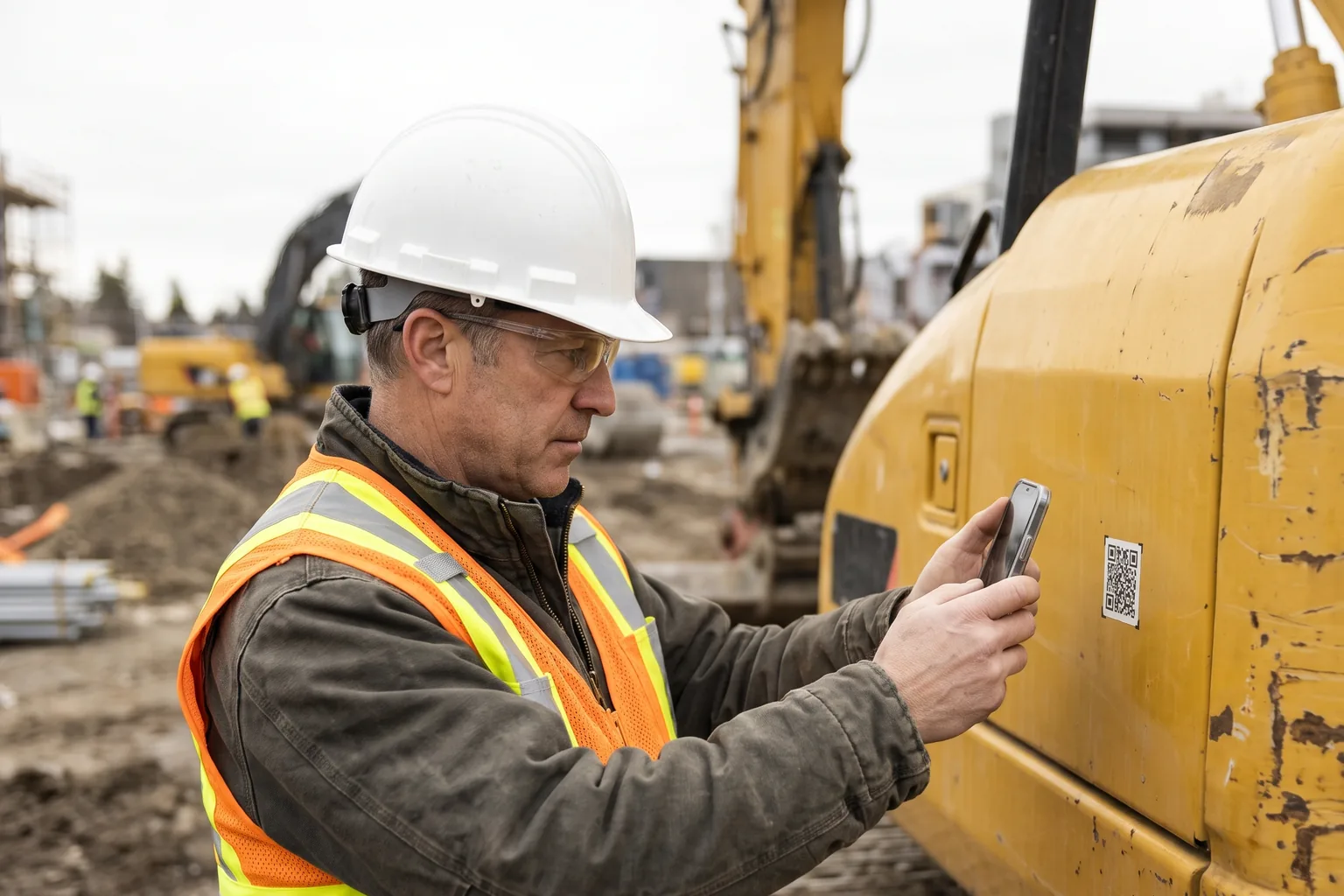
Site foreman in a hard hat and hi-vis vest scanning a QR asset tag on an excavator with a smartphone on a construction site

The questions every contractor has to answer

When a site calls the yard, the answer should take seconds, not three phone calls and a drive across town.

Which site is the excavator on right now?

Every machine and tool has a current location, from the yard to the job site and the area within it, and every move is recorded on its history.

Who has the laser level?

Check tools and equipment out to a named person with an expected return date. You always know who has it, since when and why.

What is overdue back from site?

Overdue returns are flagged automatically, so a breaker or a generator does not quietly stay on a finished job for months.

Is the crane's inspection certificate current?

Thorough examination reports, insurance and registration documents sit on the machine they belong to, with alerts before they expire.

Which machines need servicing before the next job?

Service schedules calculate the next due date for every machine, so the work happens in the yard, not as a breakdown on site.

What has been sitting idle?

Equipment with no recorded activity for months is flagged, so forgotten machines get redeployed or sold instead of hired again.

Should we own this machine or hire it?

Purchase price, every repair, depreciation and net book value, rolled into a total cost of ownership you can set against the hire rate.

Where equipment money leaks

Most contractors don't lose control of their equipment in one go. It happens a tool and a site at a time.

Tools walk off site

Power tools and instruments move between crews and vans with no record. When one goes missing, nobody knows who had it last.

You hire what you already own

A generator sits idle on a finished job while another site hires one, because nobody can see what's where.

Breakdowns stop the job

Servicing slips between projects, and a machine that should have been serviced in the yard fails on site with a crew waiting.

Paperwork lives in the cab

Inspection reports, insurance and registrations sit in a glovebox or an inbox. You find out one has lapsed when someone asks for it.

Everything you need to control plant and tools

Start with a free register and check-out. Add servicing, cost control and project planning as the fleet grows.

Equipment and tool register

  • Plant, vehicles, power tools, instruments and site equipment in one register
  • Serial number, make, model, purchase cost, warranty and criticality on every record
  • QR asset tags with printable labels, one at a time or in bulk
  • CSV import to bring your existing plant list in from a spreadsheet

Free on Nova

Check-out to crews

  • Check tools out to a named person with an expected return date and purpose
  • Send a whole kit out together for one job, and return items individually
  • Overdue returns flagged automatically, with alerts as the return date nears
  • Custody history for every tool: who had it, when and for what

Free on Nova

Job sites and locations

  • Yards, depots and job sites, with areas and zones inside each one
  • Every move recorded on the asset history, with who moved it and when
  • Scan history showing who scanned what, when and from which device
  • Equipment with no recorded activity for months flagged as idle

Free on Nova

Servicing and work orders

  • Service schedules by days, months or years, on one machine or a whole category
  • Overdue servicing raises a work order automatically
  • Work orders with priority, assignee, labour time, parts used and before/after photos
  • Closing a work order writes the service record and its cost to the machine

Included on Orbit, from $29/month

Inspections and incidents

  • Reusable inspection checklists: pass/fail, readings with limits, notes and photos
  • A failed check raises a corrective work order automatically
  • Damage and accident reports with a locked snapshot of the machine at the time

Included on Orbit, from $29/month

Certificates and documents

  • Attach inspection reports, insurance, registration, warranties, manuals and hire agreements to the machine
  • In-app alerts 30 days before a document expires and 7 days before a warranty ends
  • Compliance report of every document by expiry status

Free on Nova

Equipment cost and depreciation

  • Total cost of ownership: purchase price plus every recorded repair
  • Six depreciation methods, set once per category, with net book value per machine
  • Cost-risk analysis that flags machines costing more to repair than they are worth
  • Fixed Asset Register export for year-end and audit

Included on Orbit, from $29/month

Projects, scale and integrations

  • Allocate equipment to projects with dates, and see clashes between jobs
  • Attachments linked to their parent machine, such as buckets and breakers on an excavator
  • Unlimited users and sites, SLAs and an executive dashboard
  • REST API and webhooks to bring in positions and data from your telematics
  • Disposal with gain or loss when you sell or scrap a machine

Included on Odyssey, from $99/month

From the yard to every job site

Set up your yard, depots and job sites, with compounds and zones inside each one. Every machine and tool has a current location and a person responsible for it, and every move, check-out and scan is kept on its history.

  • Filter by job site to see everything on it, including what is overdue back
  • Send a complete tool kit to a crew in one check-out, and return items one by one
  • Scan a QR tag on site to open the record, service history and documents
  • Idle equipment flagged so it is redeployed before you hire another

Locations are unlimited on every plan. Sites for separate reporting: 1 active site on Nova, 3 active sites on Orbit, unlimited active sites on Odyssey.

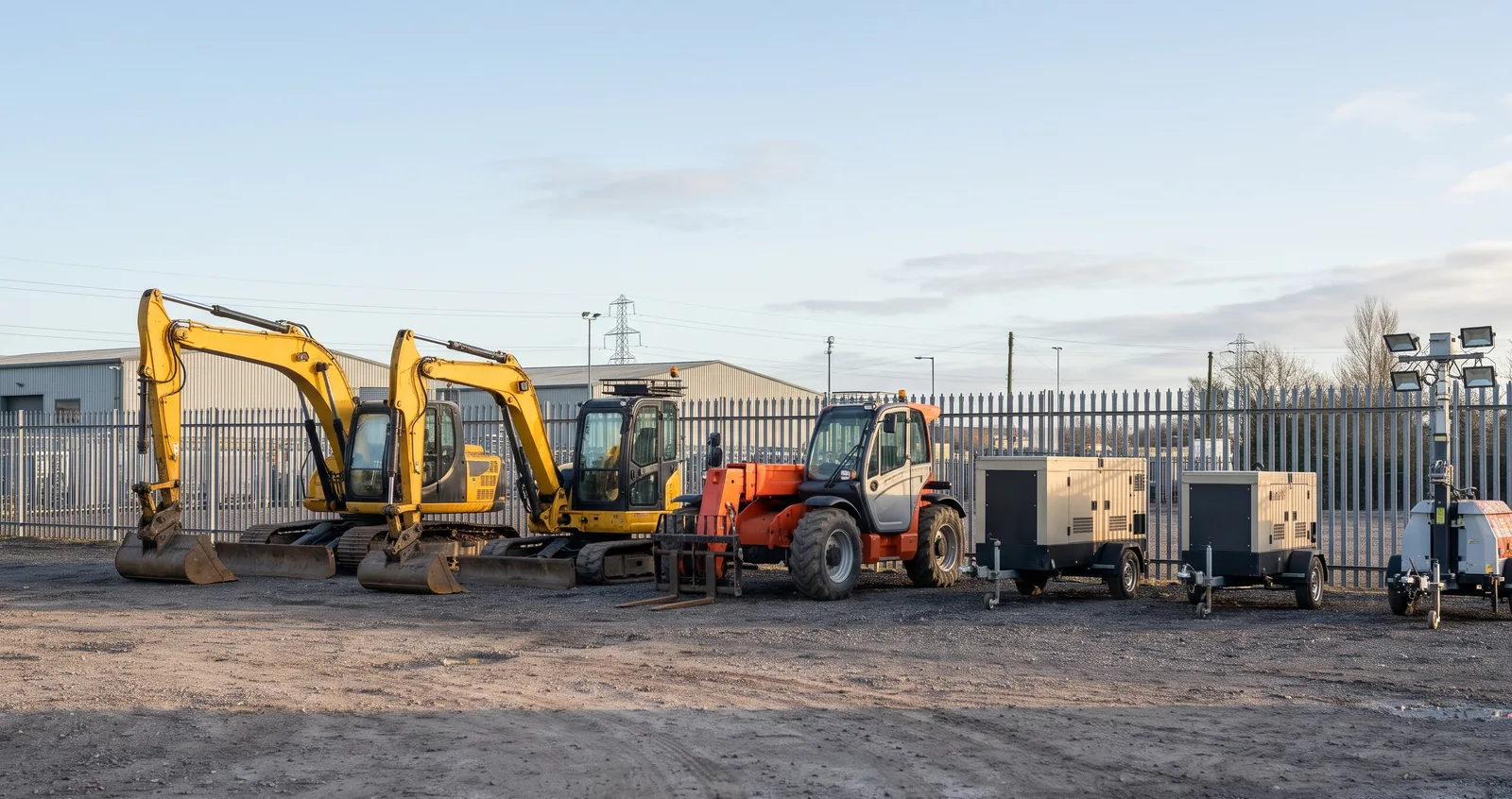
Fenced construction equipment yard with two excavators, a telehandler, two site generators and a light tower lined up ready for job sites

Plan equipment by project, not just by place

Allocate machines to the projects that need them, with dates. UniAsset shows when the same excavator is promised to two jobs at once, and when its service falls in the middle of a project, so you can plan around it before mobilisation.

  • Each project has its own team, tasks, milestones and allocated equipment
  • Allocation periods and service dates on one view per machine
  • Attachments such as buckets and breakers linked to their parent machine

Included on Odyssey, from $99/month

Illustrative six-week equipment allocation board. Excavator EX-12 is allocated to Riverside Tower for weeks one to four and Ring Road Phase 2 from week four, so the two allocations clash in week four. Telehandler TH-03 is on Riverside Tower for all six weeks with a service due in week three. Light tower LT-07 is on Ring Road Phase 2 for weeks two to five.

One machine, from the yard to the job and back

Follow an excavator and its tool kit through a project in UniAsset.

  1. 1

    Tagged

    Every machine and tool gets a QR label in the yard, with cost, serial and warranty on its record.

  2. 2

    Planned

    The excavator is allocated to the next project, with dates, so clashes show up before mobilisation.

  3. 3

    Serviced

    Service due before the job? The work order is done in the yard, not on site.

  4. 4

    Checked out

    The foreman takes the tool kit for the job. Each item is on his name, with a return date.

  5. 5

    Moved

    Location changed to the job site. The move is recorded on every item that went.

  6. 6

    Scanned on site

    A quick scan opens the record, the service history and the machine's documents.

  7. 7

    Reported

    Damage is logged as an incident with a locked snapshot, and a repair work order follows.

  8. 8

    Returned

    Items are checked back in one by one. Anything missing stays visible as overdue.

  9. 9

    Redeployed

    Idle equipment is flagged, so it goes to the next job instead of being hired again.

  10. 10

    Sold

    When it is time to sell or scrap, disposal records the gain or loss against book value.

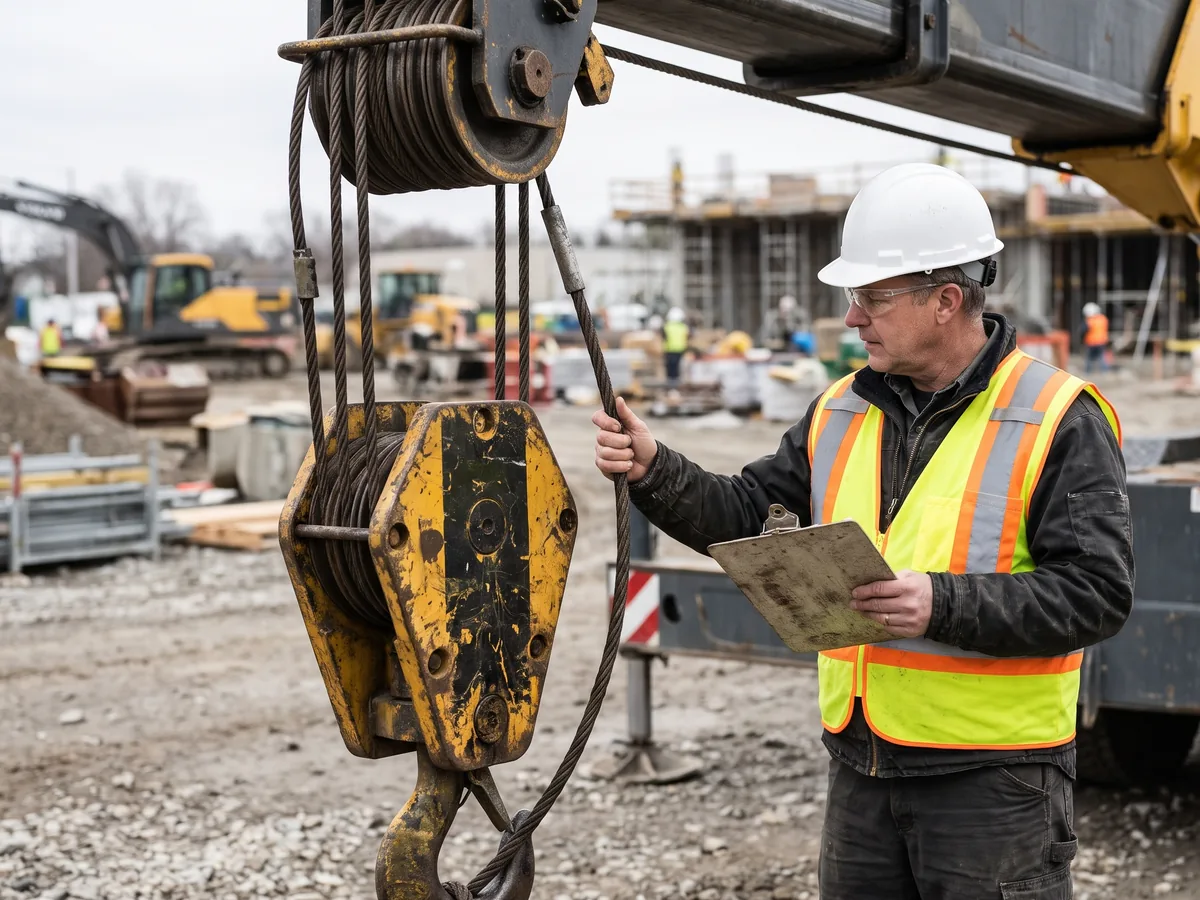
Inspector in a hard hat, hi-vis vest and safety glasses checking the hook block and wire rope of a mobile crane with a clipboard on a construction site

Paperwork that keeps machines legal on site

Site inspections, insurers and principal contractors all ask for the same thing: show me the certificate. UniAsset keeps it attached to the machine and warns you before it lapses.

Lifting equipment inspections

For cranes, hoists, telehandlers, MEWPs and lifting accessories.

Vehicle registration and insurance

For site vehicles, trucks and road-going plant.

Electrical safety tests

For power tools, generators, transformers and site lighting.

Warranties and hire agreements

So manufacturer cover is used and hired equipment goes back on time.

UniAsset helps you keep and retrieve the records inspections typically ask for. It does not certify compliance with any standard or regulation; your safety and plant processes remain responsible for that.

Built for every kind of contractor

General contractors

Plant, tools and site equipment spread across several live projects at once.

Civil and infrastructure

Heavy plant, attachments and survey instruments on long, linear jobs.

Specialist trades

Electrical, mechanical and plumbing contractors with high-value tools in many vans.

House builders

Equipment, cabins and welfare units moving from plot to plot and site to site.

Fit-out and interiors

Access equipment, power tools and instruments shared between short jobs.

Plant and tool hire yards

Where every unit is, who has it and when it is due back. UniAsset tracks custody, not hire invoicing.

Multi-region contractors

Separate depots with their own locations, teams and reports, managed in one account.

Typical assets on a construction register

  • Excavators
  • Loaders and backhoes
  • Skid steers
  • Telehandlers
  • MEWPs and scissor lifts
  • Cranes and hoists
  • Dumpers and site vehicles
  • Rollers and compactors
  • Concrete mixers
  • Generators
  • Light towers
  • Scaffolding and formwork
  • Power tools
  • Survey instruments and laser levels
  • Site cabins and welfare units
  • Safety equipment

One system, from the office to the site

Owners and directors

What the fleet is worth, what it costs to run and where money is leaking.

Plant and equipment managers

Where everything is, what is due for service and what is coming back from site.

Site managers and foremen

What's on their site, who has it and whether its paperwork is current.

Crews and operators

Scan the tag, see the record, check tools out and back in from a phone.

Finance

Depreciation, net book value, total cost of ownership and a Fixed Asset Register.

Pick the plan that fits your fleet

Every plan has unlimited assets. You pay for capability and team size, never for how many machines and tools you track.

Nova

Free forever

Know what you own and who has it.

  • Unlimited assets
  • 5 users
  • 1 active site, with unlimited locations for yards and job sites
  • 500 MB storage
  • QR tags and printable labels
  • Check-out to crews with overdue alerts
  • Documents with expiry alerts
  • CSV import and export
Most contractors start here

Orbit

$29/month

Keep the fleet serviced.

  • 15 users
  • 3 active sites
  • 5 GB storage
  • Maintenance and work orders
  • Preventive maintenance rules
  • Depreciation and net book value
  • Fixed Asset Register
  • Total cost of ownership
  • Inspection checklists and incident reports

Odyssey

$99/month

Plan equipment by project.

  • Unlimited users
  • Unlimited active sites
  • 50 GB storage
  • SLA engine
  • Disposal accounting
  • REST API and webhooks
  • Executive dashboard
  • Projects with equipment allocation
  • Attachments linked to parent machines

Running a large fleet across regions and need SSO, directory sync or custom roles? Talk to us about enterprise.

UniAsset compared with the alternatives

Most contractors start with a spreadsheet or a whiteboard, and some add GPS trackers to their biggest machines. Here is how they compare.

Comparison of spreadsheets and whiteboards, UniAsset and GPS trackers alone for construction equipment tracking
CapabilitySpreadsheets and whiteboardsUniAssetGPS trackers alone
Small tools and instrumentsA list nobody updatesQR tags and check-outRarely: too small to fit a tracker
Who has it right nowWhoever remembersNamed person with a return dateNo
Where it isLast time someone wrote it downCurrent site and location, with full move historyLive position of fitted machines
ServicingManual remindersAutomatic due dates and work ordersLimited or none
Inspection certificatesIn a folder or the cabAttached to the machine, with alertsNo
Cost and depreciationManual formulasTCO, net book value and Fixed Asset RegisterNo
Cost to startFreeFree for asset trackingHardware plus a monthly fee per unit

Already use telematics? Keep it. On Odyssey, positions and data can be sent into UniAsset through the API so location, maintenance and cost sit on one record.

Honest about scope

We'd rather you know now than find out after you've tagged the fleet.

  • Not a GPS tracker

    UniAsset doesn't sell tracking hardware. Location comes from where equipment is assigned and scanned, and on Odyssey positions from your existing telematics can be sent in through the API.

  • Servicing runs on calendar intervals

    Service schedules are set in days, months or years. Schedules driven by engine hours or meter readings are not supported yet.

  • Not job costing or hire billing

    It tracks equipment, its custody, maintenance and cost of ownership. It does not invoice hire charges or cost jobs.

  • Not crew scheduling or timesheets

    UniAsset knows who has a tool, not where people are working or how many hours they booked.

What is construction equipment tracking?

Construction equipment tracking is the practice of keeping a current record of every machine, vehicle and tool a contractor owns or hires: where it is, who is responsible for it, what condition it is in, what paperwork it needs and what it costs. Unlike a factory, where equipment stays put, construction equipment moves constantly between the yard, vans and job sites, which is why it goes missing, sits idle or misses its servicing.

Good tracking covers both ends of the fleet. Heavy plant needs servicing, inspection certificates and a clear cost history, because each machine is a large investment. Small tools and instruments need custody: a named person, a return date and a record of who had them last, because they are the items that disappear.

Software replaces the whiteboard in the yard and the spreadsheet nobody updates. Crews scan a QR tag on site to check equipment out or open its record, the plant manager sees what is due back and due for service, and finance gets depreciation and total cost of ownership to decide whether to keep owning a machine or hire it.

It works alongside GPS telematics rather than replacing it. Trackers report where fitted machines are; an equipment tracking system adds the tools that can't carry a tracker, the people responsible, the maintenance and the paperwork.

Related reading

Construction equipment tracking questions

What is the best equipment tracking software for a construction company?

The best fit is one your crews will actually use on site. UniAsset gives contractors a register of plant and tools with QR tags, check-out to named people, job site locations, servicing schedules, inspection certificate alerts and equipment cost in one system, and you can start with tracking for free.

Is UniAsset free for construction companies?

Asset tracking is free forever on Nova, with unlimited assets, 5 users, QR tags, check-out and document expiry alerts. Servicing schedules, work orders, depreciation and the Fixed Asset Register start on Orbit at $29/month.

How do we track small tools that keep going missing?

Tag each tool with a QR label and check it out to the person taking it, with a return date. UniAsset shows who has every tool, flags overdue returns, and keeps the full custody history, so the last person to have a missing tool is never a mystery.

Can we track equipment across multiple job sites?

Yes. Yards, depots and job sites can be set up as locations, with areas inside each one, and every move is recorded. Locations are unlimited on every plan. If you want job sites reported separately as sites, Nova includes 1 active site, Orbit includes 3 active sites, and Odyssey has unlimited active sites.

Does UniAsset have GPS tracking?

UniAsset doesn't supply GPS hardware. Equipment location comes from its assigned site and from QR scans. On Odyssey, positions from telematics or GPS systems you already use can be sent in through the REST API and kept on the machine's history.

Can we schedule servicing for plant and vehicles?

Yes, on Orbit and above. Service schedules run every so many days, months or years, on one machine or a whole category, and an overdue service raises a work order automatically. Schedules based on engine hours are not supported yet.

Can we track lifting equipment inspections and insurance?

Yes, on every plan. Attach inspection reports, insurance and registration documents to the machine with an expiry date, and UniAsset alerts you 30 days before they expire. The compliance report shows every document by status.

Can we plan which equipment goes to which project?

Yes, on Odyssey. Allocate equipment to a project with dates, and UniAsset warns when the same machine is allocated to two projects at once and shows servicing that falls inside a project window.

Can crews use it on site without a laptop?

Yes. UniAsset installs on Android, iOS and desktop straight from the browser, with no app store. Crews scan a QR tag to open the record and check equipment out or back in.

Can we track hired-in equipment as well as our own?

Yes. Add hired equipment to the register, attach the hire agreement with its end date, and you'll be alerted 30 days before it is due back. Check-out works the same way for owned and hired items.

How does UniAsset help decide whether to own or hire a machine?

On Orbit and above, each machine's total cost of ownership combines its purchase price with every recorded repair, alongside depreciation and net book value. Cost-risk analysis flags machines whose repair spend is out of proportion to their value.

Can we import our existing plant and tool list?

Yes. Upload a CSV, map the columns, preview and import. Categories and nested locations such as "North Depot > Bay 3" are created automatically.

Is our data secure?

Each organization's data is isolated, access is controlled by role, and every change is recorded on the asset's history. Downgrading a plan never deletes your data.

Do we need a credit card to start?

No. Nova is free forever and needs no credit card. You upgrade only when you need a paid capability.

Construction Equipment Tracking

Know what's on every site. Know who has it. Stop hiring what you already own.

Start with your plant and tool register today, free and with no credit card, and add servicing, cost control and project planning when you're ready.

  • Unlimited assets on every plan
  • Free forever plan
  • No credit card required
  • Works on site phones and tablets