
In this article
You need software that follows an asset from purchase to disposal, schedules its maintenance, tracks what it costs, and proves it is compliant.
We compared seven tools on exactly that: lifecycle coverage, maintenance, financial tracking, compliance, time to value and pricing you can actually see.
Our picks at a glance
- Rank 1 Our pick
Best overall for physical assets across sites
UniAsset
Free plan, unlimited assets; maintenance + depreciation from $29/mo flat
Jump to review - Rank 2
Best for maintenance teams with technicians
Limble CMMS
Deep work-order and PM workflows
Jump to review - Rank 3
Best mobile-first CMMS with published pricing
UpKeep
From $24/user/mo
Jump to review - Rank 4
Best free IT hardware tracker
Snipe-IT
Open source if you self-host
Jump to review - Rank 5
Best for IT departments (IT + non-IT)
ManageEngine AssetExplorer
Free up to 25 nodes
Jump to review - Rank 6
Best configurable tracker
Asset Panda
Flexible fields and workflows
Jump to review - Rank 7
Best for regulated enterprises
IBM Maximo
Enterprise EAM standard
Jump to review
How we evaluated
Lifecycle coverage
Does it follow an asset from acquisition through assignment, movement and maintenance to disposal?
Maintenance
Can it schedule preventive maintenance and run work orders, or only log repairs after the fact?
Financial tracking
Does it calculate depreciation, net book value and total cost of ownership (TCO), and produce a Fixed Asset Register?
Compliance and audit
Does it warn before certificates, warranties and inspections expire, and keep a history nobody can quietly rewrite?
Time to value
Can a team import its spreadsheet and be working in a day, or is it an implementation project?
Pricing transparency
Is the price published, and does it scale by user, by asset, or flat?
This is desk research from vendor websites, pricing pages and public reviews — not a hands-on benchmark of every product.
The 7 best asset lifecycle management tools at a glance
| Tool | Best for | Full lifecycle | Preventive maintenance | Depreciation & TCO | Compliance alerts | Free plan | Published pricing | Free option | Starting price |
|---|---|---|---|---|---|---|---|---|---|
| UniAsset | Organisations with physical assets across sites, departments or people, where operations and finance both need answers from the same record. | Yes | Yes — Orbit plan and up | Yes — 6 methods + Fixed Asset Register (Orbit+) | Yes | Yes — Unlimited assets | Yes | Free forever — unlimited assets, 5 users | $29/month flat (15 users) |
| Limble CMMS | Maintenance departments with technicians who live in work orders. | Partial | Yes — Core strength | Partial — Enterprise tier | Partial | No — Free trial only | No | No (free trial) | Quote |
| UpKeep | Mobile-first maintenance teams that want published per-user pricing. | Partial | Yes — From Premium | Partial — Enterprise tier | Partial | No — Free trial only | Partial | No (free trial) | $24/user/month |
| Snipe-IT | IT teams tracking hardware and licences who are happy to run their own server. | Partial | No — Maintenance records only | Partial — Basic | Partial | Yes — Self-hosted | Yes | Yes — self-hosted, open source | $39.99/month hosted |
| ManageEngine AssetExplorer | IT departments that want IT and non-IT assets in one IT-run tool. | Partial | No — Not a focus | Partial — Basic | Partial | Partial — Up to 25 nodes | Yes | Yes — up to 25 nodes | From $995/year (250 nodes) |
| Asset Panda | Teams that want to configure their own tracking fields and workflows. | Yes | Partial — Configurable | Partial — Configurable | Partial | No — Free trial only | No | No (free trial) | Quote |
| IBM Maximo Application Suite | Utilities, oil and gas, transport and other regulated, asset-intensive enterprises. | Yes | Yes — Very deep | Partial — Usually via ERP | Yes | No — — | Partial | No | From under $40,000/year |
- Yes
- Partial
- No
Prices as listed by vendors or public pricing trackers in November 2026; quote-based tools may vary by contract. “Partial” means available on higher tiers, in basic form, or via configuration.
What is asset lifecycle management software?
Asset lifecycle management (ALM) software is a single system of record that tracks each asset from the day it's bought to the day it's disposed of — who has it, where it is, what maintenance it needs, what it has cost, and what it's worth on the books today.
A spreadsheet can list assets; ALM software keeps the history, sends the alerts and does the depreciation maths that a spreadsheet can't.
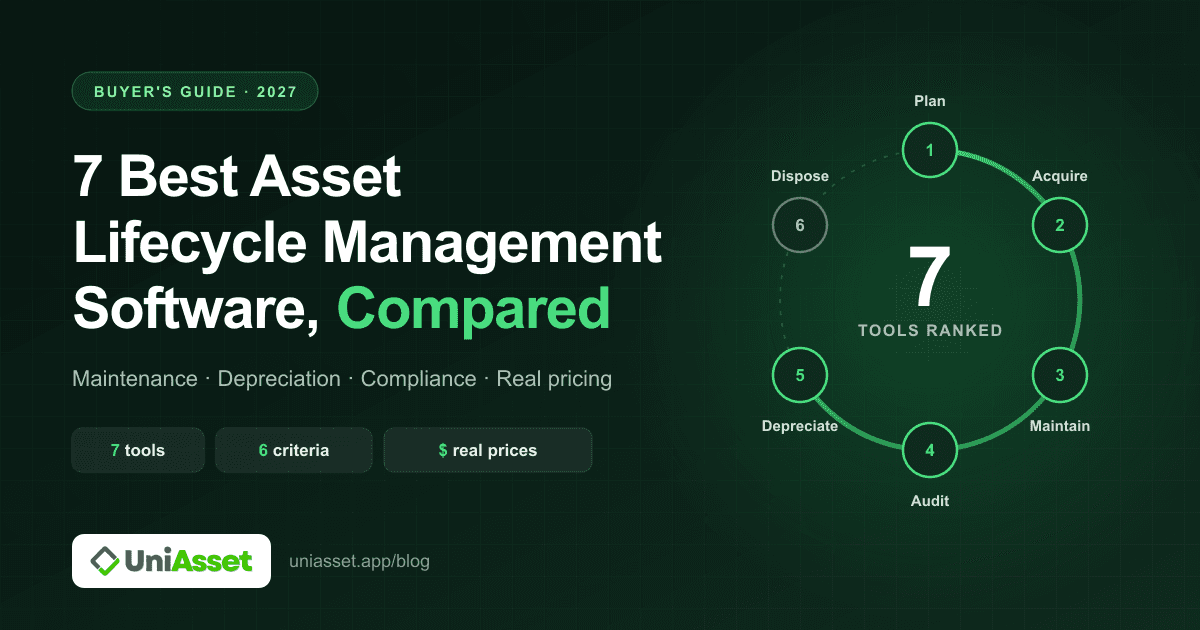
- 1
Plan
Decide what you need and budget for it.
- 2
Acquire
Record cost, supplier, warranty and acquisition date.
- 3
Deploy & assign
Place at a site, location, department or person.
- 4
Operate & maintain
Preventive schedules, work orders, service costs.
- 5
Monitor & audit
Expiry alerts, audits, depreciation and TCO.
- 6
Dispose
Retire, sell or scrap — with gain/loss on the books.
ITAM
IT asset management focuses on laptops, servers and software licences, often alongside a service desk.
CMMS
A computerised maintenance management system focuses on work orders and technicians.
Is UniAsset a CMMS?EAM
Enterprise asset management covers maintenance, inventory and capital planning at large, regulated enterprises.
7 best asset lifecycle management software in 2027
1. UniAsset
Our pickBest for: Organisations with physical assets across sites, departments or people, where operations and finance both need answers from the same record.
UniAsset is an asset operations platform: one system of record for what you own, where it is, who is responsible, when it was last serviced, and what it has really cost. It covers the full lifecycle plus maintenance, depreciation and compliance, and it is built to be working on day one — import a spreadsheet and go, no implementation project.
Key features
- Full lifecycle and custody: acquisition, assignment, check-out/check-in, movement between sites and hierarchical locations, and disposal — all on an append-only history.
- Maintenance: preventive maintenance rules with advance warnings, work orders with labour and parts, inspection checklists that raise corrective work, and SLA windows with tiered escalation.
- Financial intelligence: six depreciation methods, net book value, a Fixed Asset Register you can run to any past date, disposal gain/loss, TCO, and repair-vs-replace cost risk.
- Compliance: expiry alerts for certificates, warranties, insurance and inspections, plus immutable incident snapshots for audits and claims.
- Platform: Google and Microsoft SSO, a REST API and webhooks, an AI command bar that answers questions from your own data, and an installable mobile app (PWA).
Pros
- Unlimited assets on every plan, including free — you never pay per asset.
- Finance-grade depreciation and Fixed Asset Register in the same tool as maintenance.
- Flat, published pricing; productive within a day.
Cons
- Not a technician-dispatch CMMS: no workforce routing or shift scheduling.
- Not an ITSM service desk and has no network auto-discovery agent for IT devices.
- Maintenance and depreciation need a paid plan (from $29/month).
Pricing: Nova — free forever, unlimited assets, 5 users, 1 site. Orbit — $29/month, 15 users, 3 sites, adds maintenance, work orders and depreciation. Odyssey — $99/month, unlimited users and sites, adds API, webhooks, SLA engine and executive dashboard. Cosmos — enterprise, contact sales. A free nonprofit plan is available.
2. Limble CMMS
Best for: Maintenance departments with technicians who live in work orders.
Limble is a cloud CMMS popular with manufacturers and facilities teams. Its strength is maintenance execution: work orders, preventive schedules, parts and mobile technician workflows.
Key features
- Work orders and preventive maintenance, with meter- and threshold-based scheduling on Premium+.
- Unlimited asset hierarchies and custom asset fields on every plan.
- Parts inventory and mobile app for technicians.
- AI-assisted preventive maintenance builder.
Pros
- Deep, well-reviewed maintenance workflows.
- Strong asset hierarchy on every tier.
- Good fit for a dedicated maintenance team.
Cons
- No published per-user prices; no free plan.
- Depreciation tracking sits at the Enterprise tier.
- Built around the maintenance department, not finance or organisation-wide accountability.
Pricing: Standard, Premium+ and Enterprise, quoted through an online calculator. Free trial.
3. UpKeep
Best for: Mobile-first maintenance teams that want published per-user pricing.
UpKeep is a CMMS with a strong mobile app and an AI assistant. It's easy to roll out to technicians, though the features most teams need sit on higher tiers.
Key features
- Work orders, requests and mobile technician app.
- Preventive maintenance scheduling and checklists (from Premium).
- Asset lifecycle tracking (from Professional).
- AI assistant on every plan, with metered usage credits.
Pros
- Transparent entry pricing.
- Well-liked mobile experience.
- Free trial with no credit card.
Cons
- No free plan; per-user pricing grows quickly with team size.
- PM scheduling isn't in the entry Essential plan.
- Custom asset fields and depreciation are Enterprise features.
Pricing: Essential $24/user/month, Premium $55/user/month; Professional and Enterprise quoted.
4. Snipe-IT
Best for: IT teams tracking hardware and licences who are happy to run their own server.
Snipe-IT is a free, open-source IT asset manager. It's excellent at check-in/check-out of laptops and licences, and the hosted plans remove the server work for a flat monthly fee.
Key features
- Hardware, licence, accessory and consumable tracking.
- Check-out/check-in with user acceptance.
- LDAP sync and REST API.
- Unlimited users and assets on every plan.
Pros
- Free if self-hosted; flat hosted pricing.
- Large community and mature IT feature set.
- No user or asset limits.
Cons
- IT-focused; not designed for plant, vehicles or facilities.
- No preventive maintenance scheduling or work orders.
- Self-hosting means you own patching, backups and security; support costs extra.
Pricing: Self-hosted free. Hosted from $39.99/month ($399.99/year); Small Business $99.99/month; dedicated from $249.99/month.
5. ManageEngine AssetExplorer
Best for: IT departments that want IT and non-IT assets in one IT-run tool.
AssetExplorer, from Zoho's ManageEngine, covers discovery of networked devices, software licence compliance and asset lifecycle, on-premises or in the cloud.
Key features
- Agent and agentless discovery of IT assets.
- Software licence compliance and metering.
- Purchase orders and contracts.
- Non-IT asset records alongside IT.
Pros
- Strong IT discovery and licence management.
- Permanent free edition for small estates.
- On-premises option.
Cons
- Priced by node, so cost grows with asset count.
- IT-centric interface for facilities or operations teams.
- Light on preventive maintenance and finance reporting.
Pricing: Free edition up to 25 nodes; Professional from $995/year for 250 nodes; 30-day trial.
6. Asset Panda
Best for: Teams that want to configure their own tracking fields and workflows.
Asset Panda is a highly configurable, mobile-friendly asset tracking platform with barcode scanning and an AI layer on its Pro product.
Key features
- Configurable fields, forms and actions.
- Barcode and mobile scanning.
- Check-in/check-out and maintenance actions.
- 20+ integrations.
Pros
- Very flexible data model.
- Free mobile apps.
- Long track record and large review base.
Cons
- Quote-based pricing; no free plan.
- Some reviewers report slow loading and glitches.
- Configuration takes effort to get right.
Pricing: Quote-based; free trial available.
7. IBM Maximo Application Suite
Best for: Utilities, oil and gas, transport and other regulated, asset-intensive enterprises.
Maximo is the long-standing enterprise EAM standard: maintenance, inspection, reliability, inventory and capital planning, with deep ERP integration.
Key features
- Enterprise maintenance, inspection and reliability.
- Inventory optimisation and capital planning.
- AI and IoT-driven monitoring and prediction.
- Flexible AppPoints licensing across applications.
Pros
- Proven at the largest, most regulated asset bases.
- Extremely deep and configurable.
- Strong ecosystem of implementation partners.
Cons
- Implementation measured in months or quarters.
- Significant licence and services cost.
- Overkill for most single- or multi-site operations.
Pricing: AppPoints-based; Maintenance Essentials starts at under $40,000/year, with a 12-month minimum term.
Asset lifecycle software pricing models, compared
The headline price matters less than what the price is measured in.
| Pricing model | Tools | Cost grows with |
|---|---|---|
| Flat plan | UniAsset, Snipe-IT (hosted) | Moving up a tier for more capability |
| Per user | UpKeep, Limble | Every technician or manager you add |
| Per asset or node | ManageEngine AssetExplorer, Asset Panda | Every asset you track |
| Credit pool (AppPoints) | IBM Maximo | Concurrent users and apps deployed |
Worked example
A 12-person operations team running preventive maintenance on 800 assets.
Snipe-IT hosted is $39.99/month, but it has no preventive maintenance scheduling, so it can't run this scenario.
Which tool fits your operation?
Dedicated maintenance department with technicians?
Shortlist Limble and UpKeep.
IT hardware and licences only?
Snipe-IT (self-hosted or hosted) or ManageEngine AssetExplorer.
Regulated, asset-intensive enterprise with an implementation budget?
IBM Maximo.
Physical assets across sites, where operations and finance both need answers?
Maintenance, depreciation, TCO and compliance in one record — that is what UniAsset is built for.
How to choose asset lifecycle management software
- 1
Define the asset boundary
IT devices and licences point to ITAM tools like Snipe-IT or AssetExplorer. Equipment, vehicles, plant and facilities point to ALM or CMMS tools.
- 2
List who needs access
If only technicians use it, a CMMS fits. If operations, finance and leadership all need answers, choose a system of record that serves all three.
- 3
Price your real team, not the headline
Multiply per-user prices by everyone who needs a login, and check which tier includes the features you need.
- 4
Walk one asset through its whole life in the trial
Buy it, assign it, move it, service it, dispose of it. Check the history is complete and can't be edited.
- 5
Test the financial output
Can it produce a Fixed Asset Register at last year-end? Does depreciation match your method (straight-line, WDV, double declining, MACRS)?
Compare depreciation methods - 6
Check the alerts
Set a certificate to expire next week and a service to fall due. Do the warnings arrive before the date?
- 7
Time the import
Load your actual spreadsheet. If you're not working within a day, adoption will suffer.
Why spreadsheets fail for asset management
Which asset lifecycle management software should you pick?
There's no single winner — there's a right fit for each kind of operation.
- Dedicated maintenance department with technicians? Shortlist Limble and UpKeep.
- IT hardware and licences only? Snipe-IT (self-hosted or hosted) or ManageEngine AssetExplorer.
- Regulated, asset-intensive enterprise with an implementation budget? IBM Maximo.
- Physical assets across sites, where operations and finance both need answers? Maintenance, depreciation, TCO and compliance in one record — that is what UniAsset is built for.
Start free — unlimited assets, no credit card
UniAsset's Nova plan is free forever with unlimited assets, so you can import your whole register and judge it on your own data. No credit card, no demo required.
Frequently asked questions
What is asset lifecycle management software?
It's software that tracks each asset from purchase to disposal in one record: location, owner, maintenance, cost, depreciation and compliance documents. It replaces spreadsheets that can't keep history, send alerts or calculate depreciation reliably.
What are the stages of the asset lifecycle?
Most frameworks use six: plan, acquire, deploy and assign, operate and maintain, monitor and audit, and dispose. Good ALM software records an event at every stage so the full history is auditable.
What's the difference between ALM, CMMS, EAM and ITAM?
ALM covers the whole life of any asset. A CMMS focuses on maintenance work orders and technicians. EAM is enterprise-scale ALM with deep maintenance and ERP integration. ITAM focuses on IT hardware and software licences.
Is there free asset lifecycle management software?
Partly. UniAsset's Nova plan is free forever for asset tracking — unlimited assets, up to 5 users — while maintenance, work orders and depreciation start on the Orbit plan at $29/month. Snipe-IT is free if you self-host it, and ManageEngine AssetExplorer has a free edition for up to 25 nodes.
How much does asset lifecycle management software cost?
From free to six figures a year. Flat plans start around $29–$40 per month, per-user CMMS tools run about $24–$55 per user per month, and enterprise EAM such as IBM Maximo starts under $40,000 per year.
Can I just use a spreadsheet?
For a few dozen assets, briefly. Spreadsheets lose history when cells are overwritten, can't send expiry or maintenance alerts, and their depreciation formulas break silently. Most teams move to software once assets span several sites or people.
Keep learning
Related reading
- GuideAsset Lifecycle Management: the complete guide
- ComparisonIs UniAsset a CMMS?
- FinanceUnderstanding Total Cost of Ownership for Enterprise Assets
- Asset ManagementRepair vs Replace: a decision framework